quick-cards
Export Quizlet flashcards and vocab lists — web app + Chrome extension
QuickCards
Export Quizlet flashcards and vocab lists to TXT, CSV, JSON, PDF, Anki — or import them straight into Knowt. No account required, no server.




Two ways to use it
Web — quickcards.oseifert.ch Paste a vocab list, JSON, CSV, TSV, Markdown table, or TOML and get exports. Nothing to install. Share the URL and the export reproduces on the other side.
Chrome extension — install instructions Works directly on Quizlet set pages: floating banner, one-click copy, merge multiple open tabs, and one-click import into Knowt. Fetches cards from Quizlet's web API; the Knowt import uses your existing Knowt session — no extra login.
Features
- Paste anything — single or multiple Quizlet URLs, vocab lists with 15+ separator styles, JSON (common shapes:
{term,definition},{front,back}, tuples, flat key→value), JSON Lines, quoted CSV, TSV, Markdown tables, TOML - Six export formats — TXT, CSV, JSON, PDF vocab list, printable PDF flashcards (2×4 grid, double-sided, syllable hyphenation), Anki
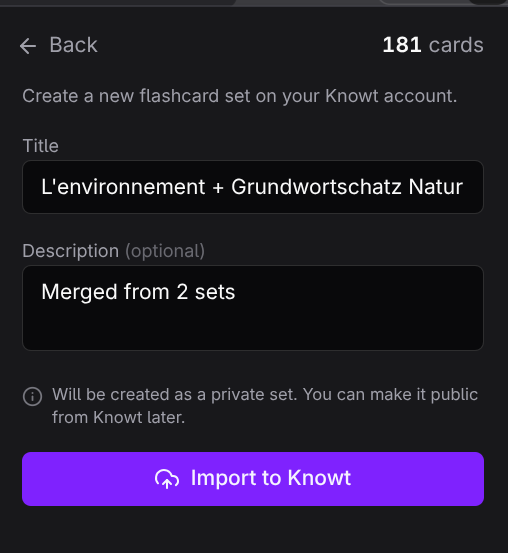
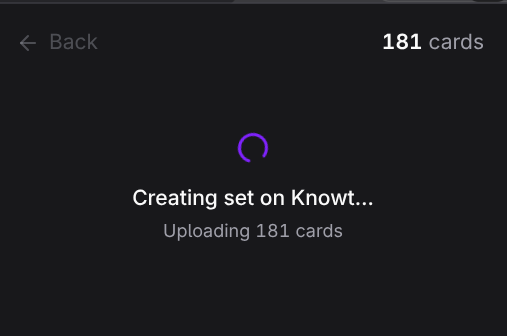
.apkg - Import to Knowt (extension) — one-click creates a new flashcard set on your existing Knowt account. Runs in your browser session; no separate login, no copy-paste
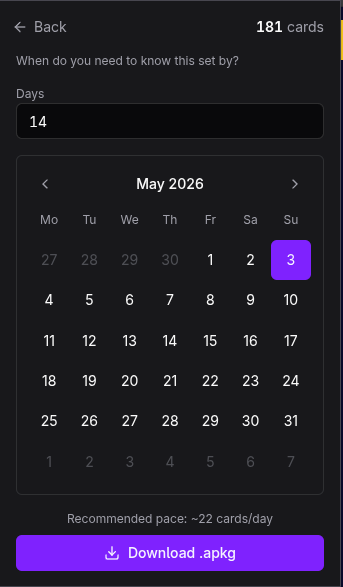
- Anki with FSRS deadline pacing — pick a target date, get a deck with retention and learning steps tuned to the time you have
- Merge multiple sets (extension) — combine cards from all open Quizlet tabs, with duplicate-removal toggle
- Shareable URLs (web) — the full card set is compressed into the URL; anyone with the link sees the same export
- Client-side only — no server, no account, no data leaves your browser
Screenshots
| Popup | Export | Anki picker |
|---|---|---|
|  |  |
| PDF vocab list | PDF flashcards | Merge sets |
|---|---|---|
 |  |  |
| Knowt import — form | Knowt import — importing |
|---|---|
 |  |
Repository layout
├── extension/       Chrome extension — source, build, manifest
├── website/         SvelteKit web app — hosted at quickcards.oseifert.ch
├── assets/          Shared screenshots
└── LICENSE          MIT
extension/README.md— install, dev, releasewebsite/README.md— dev, architecture, deploy
Tech stack
Extension — TypeScript, Bun, Alpine.js (CSP build), Tailwind v4, jsPDF + hyphen, ankipack + sql.js, Chrome Extension Manifest V3
Web — SvelteKit 2, Svelte 5 (runes), Tailwind v4, shadcn-svelte, Lucide, lz-string, jsPDF, ankipack, sql.js
Develop
# Extension
cd extension
bun install
bun run build      # → extension/dist/
bun run dev        # Vite preview of popup HTML

# Web
cd website
bun install
bun run dev        # localhost:5173
bun run build      # → website/build/ (static)
bun test           # parser unit tests (73)
Release
Extension — push a version tag, GitHub Actions builds and zips, publishes a GitHub Release with auto-generated notes.
git tag v1.3.1 && git push origin v1.3.1
Web — main auto-deploys to Vercel (static build, pure client-side, no runtime server).
License
MIT · © Oliver Seifert
About quick-cards
What is quick-cards?
quick-cards is Export Quizlet flashcards and vocab lists — web app + Chrome extension. It is built with TypeScript, Svelte, HTML, CSS, JavaScript and maintained by Oliver Seifert.
What language is quick-cards written in?
quick-cards is primarily written in TypeScript (43% of the codebase). Other languages used include Svelte (28%), HTML (26%), CSS (2%), JavaScript (1%).
What license does quick-cards use?
quick-cards is released under the MIT license.
Most Similar to quick-cards
- Quizlet is gatekeeping more and more, so i made an extension (blog) — similarity: 47%
- ankipack (project) — similarity: 12%
- Syrup (project) — similarity: 9%